Presets & LUTs Showroom • 100% Free Downloads
Video & Photo Editing Assets

VN LUTs, CapCut Templates & Presets

Upgrade your Reels, TikToks, and photos in 1-click. Drag the interactive comparison sliders below to see the instant color grading effect.

50+
Free VN LUTs
100%
Working CapCut Links
4.9★
Creator Rating
Live Color Grading Preview

Cinematic Color Grading Comparison

Drag the slider left and right to inspect the raw camera shot vs the color graded preset.
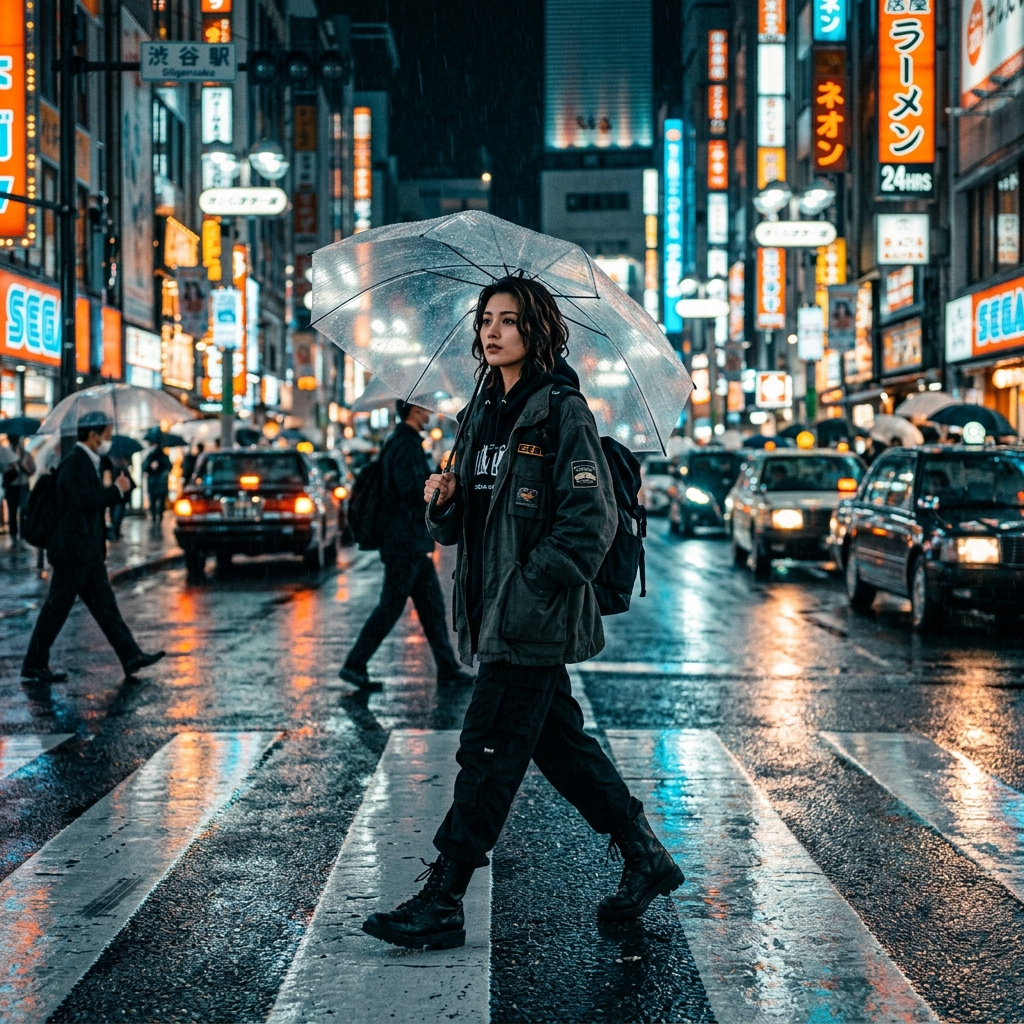
Raw Video Flat Profile ORIGINAL (FLAT LOG)
Teal & Orange Color Graded ANUPSAGAR CINEMATIC TEAL & ORANGE

🎬 Cinematic Teal & Orange Film LUT (.CUBE)

Compatible with VN Video Editor, CapCut, Premiere Pro, DaVinci Resolve

All Video Templates & Color Presets

Instant 1-click downloads & verified CapCut direct template launchers.

📖 How to Import & Use Presets

1. How to Import VN LUTs (.cube)

  1. Download the .cube file to your Android/iPhone.
  2. Open VN Video Editor app and tap Filter > LUT.
  3. Tap the + (Add) button and select the downloaded LUT file.
  4. Adjust filter intensity between 60%–85% for best cinematic effect.

2. How to Use CapCut Templates

  1. Tap the "Use Template in CapCut" button on any template post.
  2. CapCut app will open directly with the synchronized audio track.
  3. Select your photos or video clips according to the beat markers.
  4. Export in 1080p / 60 FPS (Without Watermark).

3. How to Apply Lightroom (.DNG)

  1. Download the .DNG preset file to your gallery/files.
  2. Open Adobe Lightroom Mobile and import the DNG photo.
  3. Tap the three dots (⋮) in the top right > Copy Settings.
  4. Open your photo and tap Paste Settings for instant 1-click edit!
Saved Favorites
Home Categories Presets Customizer